How to Reset Keyless Entry: A Complete Guide
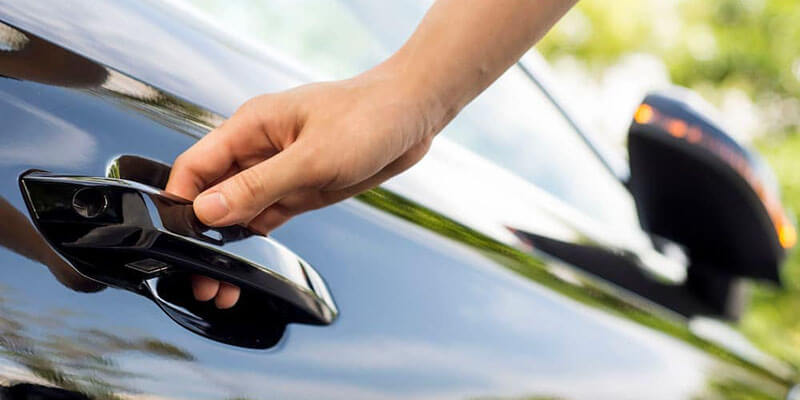
Most keyless entry locks reset in 3 steps: pull the battery, hold the program or reset button while reconnecting it, then set a new master code. The exact button and hold time differ by brand, so the steps for Schlage, Kwikset, Yale, and Lockly are laid out below, along with car fobs and keypads. Before you start, understand the difference between changing a code and a factory reset. Changing a code keeps every other setting, app pairing, and user. A factory reset wipes everything, including Wi-Fi or Bluetooth pairing, and puts the lock back to the codes printed on the sticker or card that came in the box. Reset only when you have lost the programming code, bought a house or moved into a rental with a lock already on the door, or the lock is misbehaving and a code change has not fixed it. Before You Reset Any Keyless Lock Find the programming code. Schlage prints a 6-digit programming code on a sticker on the back of the keypad and in the manual. Kwikset does not use one. Yale and Lockly use a master PIN or a programming card. If the previous owner took the paperwork, a factory reset is how you get control back. Put fresh batteries in first. Weak batteries cause half the “my lock will not take a code” calls we get in Las Vegas. Keypads on doors that face west take a beating in summer; a lock body sitting in direct sun on a Henderson or Whitney front porch can pass 140 degrees, and alkaline batteries drain fast at that temperature. Use lithium AAs on sun-facing doors. Keep the door open while you work. If a reset goes wrong with the door closed, you are locked out. Prop the door and use the mechanical key to confirm the override still works before you close it. Know your rights in a rental. Tenants in Las Vegas apartment communities should ask the manager before resetting a lock the property owns; some leases require the office to hold a working code. How to Reset a Schlage Keyless Lock Schlage keypad deadbolts (BE365, FE595 and similar) Remove the battery cover on the inside of the door and disconnect the 9-volt battery. Press and hold the Schlage button on the outside keypad. Reconnect the battery while still holding the button. Keep holding for about 10 seconds until the keypad blinks green and beeps. Release. The lock is back to the two default user codes and the programming code printed on the sticker inside the lock. To add a user code: press the Schlage button, enter the 6-digit programming code, press 1, then enter a new 4-digit user code twice. Press the Schlage button, programming code, 2, then the code twice to delete one. Schlage Encode, Encode Plus, Connect, and Sense Remove the interior battery cover and disconnect the battery pack. Press and hold the Schlage button on the outside keypad, reconnect the batteries while holding, and keep holding until the keypad flashes red and then green (roughly 10 seconds). Delete the lock from the Schlage Home app (or Apple Home for Encode Plus), then re-add it as a new device. Wi-Fi credentials and every user code are gone after the reset. Set a new programming code in the app before you close the door. How to Reset a Kwikset Keyless Lock Kwikset SmartCode 909, 910, 913, 914, 916 Open the interior cover and remove the battery pack. Press and hold the Program button (the small round button on the interior board). Reinsert the battery pack while holding Program. Keep holding for about 30 seconds until the lock beeps and the status light flashes red. Press the Program button once more. The lock beeps to confirm the reset. Re-do door handing: with the door open, press the Lock button; the bolt extends and retracts on its own to learn which way the door swings. Skip this and the bolt will drive the wrong direction. Add a code: press Program, enter a 4 to 8 digit code, press the Lock button. To wipe all user codes without a full reset, hold Program for about 5 seconds until it beeps and flashes red twice. Kwikset Halo and Aura The same battery-out, hold Program, battery-in, hold 30 seconds sequence applies. Afterward, remove the lock from the Kwikset app and re-add it to restore Wi-Fi (Halo) or Bluetooth (Aura) pairing. How to Reset a Yale Keyless Lock Yale Assure Lock, Assure Lock 2, Assure Lever Remove the interior battery cover and take out the batteries. Remove the interior cover to expose the small reset button on the back of the interior unit. Press and hold the reset button while reinstalling the batteries. Keep holding until the keypad wakes and you hear the welcome tone, about 3 seconds after power returns. Follow the voice or keypad prompts to create a new master PIN (4 to 8 digits). To manage codes afterward: wake the keypad, enter the master PIN and press the gear or # key, then choose 1 to add a user, 2 to delete one. Yale Access or Yale Home app users must re-pair the module after any reset. Older Yale Real Living models follow the same sequence, with the reset button under the interior battery cover on most units. How to Reset a Lockly Keyless Lock Lockly Secure Plus, Secure Pro, Vision, Flex Touch Open the interior battery compartment and find the small reset hole on the back of the interior unit. Press the reset button with a paperclip and hold for about 3 seconds until the lock beeps and the keypad lights up. Remove the lock from the Lockly app and add it again. Bluetooth pairing, fingerprints, and every access code are cleared. Use the programming code card from the box to set a new admin access code. Lockly keypads scramble digit positions on each wake (PIN Genie), so enter the code by position on the screen rather than by memory of
What Is a Rekey? Understanding the Basics
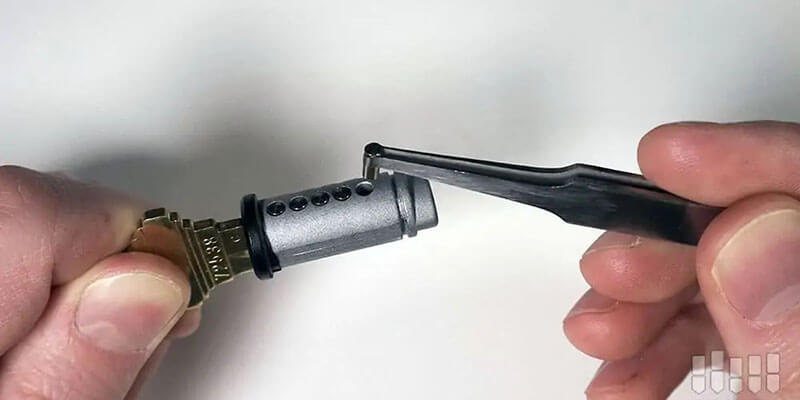
A rekey changes the pins inside your existing lock so a new key works and every old key stops working. In Las Vegas, 24/7 Locksmith 4U rekeys most homes in one visit, priced by the number of doors and quoted upfront, dispatching 24/7 from 3620 E. Flamingo Rd on the east side. You keep the same deadbolt, the same handle, and the same look on the door. What changes is the key. That makes rekeying the right first move after a move-in, a lost key, a tenant turnover, or a breakup, and it is usually the cheapest way to take back control of who can open your door. What Rekeying a Lock Actually Means Every pin tumbler lock (the standard deadbolt or knob lock from Schlage, Kwikset, Yale, and most other brands) holds a row of five or six small pins inside the cylinder. Your key has cuts of different depths that push those pins to exactly the right height so the cylinder can turn. A different key pushes them to the wrong heights and the lock stays put. Rekeying swaps those pins for a new set that matches a new key. The locksmith pulls the cylinder, removes the old pins, loads pins cut to the new key, reassembles it, and tests it. The old key no longer lines up, so it is useless from that moment on. Rekey vs. changing the lock Changing a lock means removing the whole unit and installing new hardware. That is the right call when the lock is worn, damaged, low quality, or when you want a different style or a smart lock. Rekeying is the right call when the hardware is fine and only the key needs to change. On a typical Las Vegas house with three to five exterior doors, rekeying is often half the price of replacing everything. Question Rekey Replace Hardware stays on the door Yes No Old keys stop working Yes Yes Typical price per door Lower Higher (hardware plus labor) Time on site for a house Shorter, one visit Longer, hardware swap plus fitting Best when Locks work well, only key access must change Locks are worn, damaged, or you want an upgrade What Determines the Cost of a Rekey in Las Vegas Rekeying with 24/7 Locksmith 4U in East Las Vegas, Henderson, Sunrise Manor, Whitney, and Paradise is priced by the job, and you approve an exact quote before any work begins. The number depends on how many cylinders we rekey, the lock brand, and whether the locks share a keyway. Job What sets the quote Time on site One deadbolt or knob lock Lock brand and whether the cylinder needs cleaning Quick, done while you wait Apartment or condo (1 to 2 doors) Number of cylinders and whether they share a keyway One short visit House, 3 to 5 exterior doors, keyed alike Number of doors, mixed brands, and new keys cut on site One visit Extra keys cut on site Standard blanks are inexpensive; restricted blanks cost more Done during the visit High security or restricted keyway (Medeco and similar) Quoted per cylinder Varies Two things push a rekey toward the top of the range: mixed brands on one house (a Schlage front door and Kwikset side doors cannot share one key without changing a cylinder), and locks so gummed up with desert dust that they need cleaning before they can be pinned. Both are common on older homes near Boulder Highway and in Sunrise Manor. Our residential locksmith page lists the full price sheet for home services. When You Should Rekey Moving into a new home or rental The previous owner, their relatives, the cleaning crew, the agent, and the contractor who fixed the water heater may all still have a key. Rekey on move-in day, before the furniture arrives. For a Henderson or East Las Vegas house with a front door, garage entry door, and back slider lock, expect a single visit and one new key that runs every door. Tenant turnover Las Vegas apartment communities and single-family rentals turn over constantly, and a lease ending does not guarantee every copy of the key came back. Property managers around UNLV, Whitney, and the Paradise corridor rekey between tenants as a rule. Rekeying costs far less than replacing hardware on every unit, and it can be done the same day the unit is vacated. Our commercial locksmith team handles multi-unit rekeys and master key setups for managers. Lost or stolen keys If a key ring that includes your house key goes missing, especially with anything that identifies your address, rekey the same day. A lost key with no address on it is lower risk but still worth fixing if you cannot account for it. We cover the full response in our guide on what to do after losing your keys in Las Vegas. Roommate, partner, or employee leaves Any time someone who had legitimate access no longer should, rekey. Asking for the key back does not help if a copy was made at a hardware store kiosk months ago. Too many keys for one house Many homes we visit have a separate key for the front door, the side gate, the garage entry door, and the back door. Rekeying all of them to one key (keyed alike) is one of the most popular requests we get from East Las Vegas homeowners, and it happens during the same visit. After a break-in or attempted break-in If a burglar had access to a key, or the lock was picked or bumped, rekey at minimum. If the door or strike plate was damaged, that becomes a repair or replacement job instead. How the Rekey Visit Works Proof of ownership. Our technician verifies your ID and that you have the right to change the locks on that address. Tenants need permission from the landlord or property manager. Inspection. The technician checks each lock for wear, misaligned strike plates, and dust buildup. Locks that are failing get flagged
How to Remove a Padlock Without a Key: Step-by-Step Guide
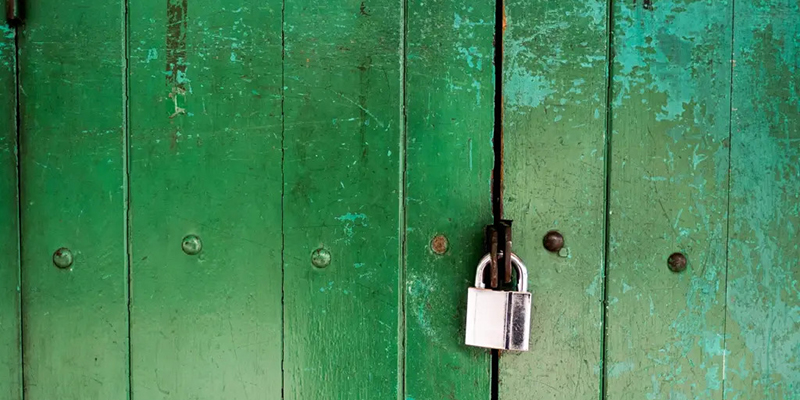
A pair of 24-inch bolt cutters removes most hardware-store padlocks in under a minute. Hardened or shrouded shackles need an angle grinder or a locksmith, who can usually open a padlock without destroying it, quoted upfront, with fast mobile dispatch across East Las Vegas. Before any of that, make sure the lock is yours to remove. Storage facilities, landlords, HOAs, and employers all have rules about who can cut a lock, and cutting the wrong one is a crime. Once that is settled, the right method depends on the padlock, not on what tool is nearest. First: Confirm You Can Legally Remove It Your own padlock on your own gate, shed, or trailer. Remove it however you like. Self-storage unit. Nearly every facility along Boulder Highway, Tropicana, and in Henderson requires you to show ID at the office and have staff present, and many insist on cutting the lock themselves for a fee. Check your rental agreement first; cutting a lock in a storage corridor without the office knowing can get your access revoked. Rental property. Tenants should not cut a landlord’s padlock, and landlords should not cut a tenant’s without following Nevada notice rules. Call the other party first. Business gate or roll-down grille. The person authorizing the cut should be an owner or manager who can show it. Our commercial locksmith team asks for that before opening any storefront lock. Someone else’s lock, period. Do not touch it. A locksmith will refuse too. Match the Method to the Padlock Padlock type Best DIY method Locksmith method Laminated steel or brass, standard shackle (Master Lock No. 3, 5, 140) Bolt cutters, or shim Pick or bypass, lock survives Combination dial or wheel lock Decode by feel, or bolt cutters Decode, lock survives Hardened boron shackle (Master Lock Magnum, Abus Granit) Angle grinder only Pick or decode when possible; grind as last resort Shrouded or disc padlock (Abus Diskus, Master 40) Grinder on the body, difficult Disc detainer pick, or drill the body Smart or keypad padlock Reset via app or override key Bypass or drill; then replace Storage unit cylinder lock None; office policy applies Pick or drill with facility approval Method 1: Bolt Cutters Fastest option for a standard shackle. Use 24-inch cutters for shackles up to about 3/8 inch; 14-inch cutters will not do it. Set the jaws as deep on the shackle as you can, near the body, and lean on the handles with steady pressure rather than jerking. The shackle snaps and the lock is scrap. Bolt cutters are an inexpensive tool, worth owning if you have several cheap padlocks, and useless on any shackle marked hardened or boron; the jaws just dent. Method 2: Shimming A shim is a thin curved piece of metal (a cut aluminum can works) slid down the shackle to push the spring latch aside. It works on older and cheaper padlocks with a single spring-loaded latch. It does not work on padlocks with ball-bearing locking or a double-latch shackle, which now includes most mid-priced Master Lock, Abus, and Brinks models. If the shim goes in and nothing happens after a few tries, stop; you are scarring the shackle for no gain. Method 3: Picking or Raking Cheap padlocks with four pins open with a tension wrench and a rake in a minute or two, which is why we tell customers they are theft deterrents, not security. Anything with security pins, a disc detainer core, or a high-security cylinder takes real skill and the right picks. If you already own a pick set and the lock is a basic one, try it. Otherwise this is the point where a locksmith saves the lock and your afternoon. Method 4: Angle Grinder A 4.5-inch grinder with a metal cutoff wheel goes through a hardened shackle in 30 to 90 seconds. Wear eye protection and gloves, clamp or steady the lock so it cannot spin, and cut the shackle on the side away from the locking mechanism. Two Las Vegas-specific warnings: sparks in dry summer landscaping start fires, and a lock body that has been sitting in 110-degree sun holds heat long after the cut, so do not grab it bare-handed. Never grind near a trailer fuel tank or a propane tank on an RV pad. Method 5: Drilling Drilling the cylinder destroys the pins so the core turns freely. Use a 1/8-inch bit at the shear line (just above the keyway) and step up to 1/4 inch. It ruins the lock and does not work on hardened anti-drill inserts or on shrouded bodies that hide the keyway. Locksmiths drill only when picking fails and the customer has approved destroying the lock. Combination Padlocks Without the Code Dial locks (Master 1500 style) can be decoded by applying light tension to the shackle and feeling for the sticking points as you turn. Three-wheel and four-wheel locks are decoded by pulling on the shackle and rotating each wheel until you feel the gap. It takes patience and works on most cheap combination locks. If you set a combination lock yourself and forgot it, try dates and repeated digits first; if the lock came with a gym locker or storage unit, ask the operator, who often keeps the factory code. When the Padlock Is Not the Problem Half the “padlock will not open” calls we take in Sunrise Manor and Whitney have a key that works fine; the lock is jammed. Desert dust packs into the keyway, and brass bodies on side gates and shed doors bake in the sun until the shackle binds. Before cutting anything, blow the keyway out with compressed air, squirt in a dry graphite or PTFE lubricant (not oil, which turns dust into paste), work the key gently, and let the lock cool if it is in direct sun. A stuck-but-not-lost-key padlock usually frees up. Cost Comparison Option What you spend Lock survives? Bolt cutters (buy once) An inexpensive tool you keep No Angle grinder and wheel A power tool
Nissan Car Key Replacement | 247 Locksmith 4U Las Vegas
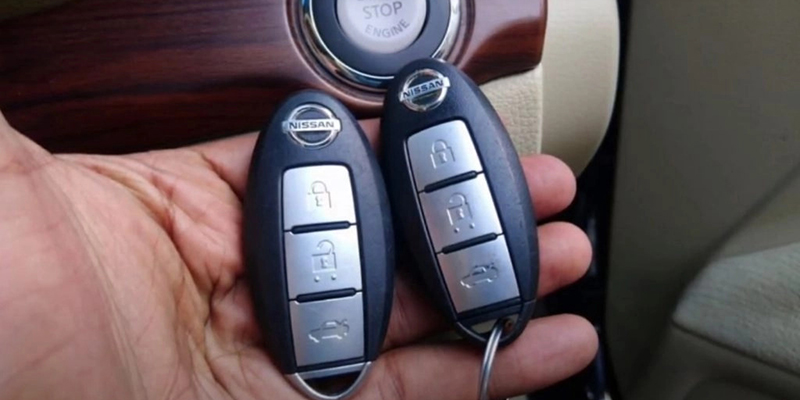
Losing your Nissan car key can be stressful, especially if you don’t have a spare handy. Whether it’s an emergency situation or a proactive key duplication, understanding the Nissan car key replacement process is essential. This comprehensive guide will walk you through how to replace your Nissan keys and what services 247 Locksmith 4U can offer. Nissan Car Key Types Traditional Keys: Used in older Nissan models, simple metal keys without electronic chips. Transponder Keys: Equipped with a chip that communicates with the car’s immobilizer system. Key Fobs and Remote Keys: Provide remote locking, unlocking, and, in some cases, remote starting. Smart Keys: Allow for keyless entry and ignition, relying on proximity sensors. Steps for Nissan Car Key Replacement Determine Key Type: Identify whether your Nissan uses a traditional, transponder, fob, or smart key. Find Your VIN: Locate your Vehicle Identification Number, usually found on the dashboard or driver’s side door frame. Contact a Locksmith: Reach out to 247 Locksmith 4U for quick and reliable replacement services. Table: Nissan Key Types and Replacement Options Key Type Features Replacement Process Traditional Key No electronic components Duplicate based on physical cuts. Transponder Key Embedded chip for security Cut and program to sync with car’s immobilizer. Key Fob/Remote Key Remote access, may include a key blade Program to match car’s remote system. Smart Key Proximity-based operation, keyless start Program to ensure communication with the vehicle’s system Why Choose 247 Locksmith 4U for Your Nissan Key Replacement Expertise: We specialize in all types of Nissan keys, from older models to the latest smart keys. Speed: Our mobile locksmith units can reach you quickly anywhere in Las Vegas, NV. Equipment: We use the latest tools and technology to cut and program Nissan keys accurately. Common Reasons for Key Replacement Lost Keys: The most common reason for replacement, requiring a complete new set. Damaged Keys: Keys can wear out or get damaged, necessitating a replacement. Additional Spares: For convenience or as a precaution, having extra keys can be invaluable. Frequently Asked Questions 1. How much does it cost to replace a Nissan car key? The cost varies depending on the type of key and the required technology for programming. Contact 247 Locksmith 4U for a precise quote based on your specific model and key type. 2. Can I get a Nissan key replacement without the original? Yes, with your VIN and proof of ownership, we can create a new key without the need for the original. 3. How long does it take to replace a Nissan key? Most keys can be replaced within an hour. However, some advanced smart keys might take slightly longer due to complex programming requirements. 4. Is it necessary to go to a Nissan dealership for key replacement? While dealerships can replace keys, 247 Locksmith 4U offers the same services with the convenience of coming to your location. 5. Can I program a new Nissan key myself? Transponder keys and smart keys generally require professional equipment for programming. It’s best to rely on skilled locksmiths to ensure the key functions correctly. 6. What should I do if my Nissan key fob stops working? It might be a simple issue like a dead battery. If replacing the battery doesn’t help, the fob might need reprogramming or replacement. 7. How can I prevent losing my Nissan key again? Consider using key finders or apps that track your key’s location. Also, having spare keys made can save you from emergencies in the future. Conclusion Nissan car key replacement doesn’t have to be a hassle. With 247 Locksmith 4U in Las Vegas, NV, you can expect efficient, reliable service that gets you back on the road with minimal downtime. Whether you’ve lost your key, need a duplicate, or require programming, our team is ready to help. Contact us today to ensure you’re never locked out of your Nissan again.
3 Ways to Maintain a Lock in Door Houses
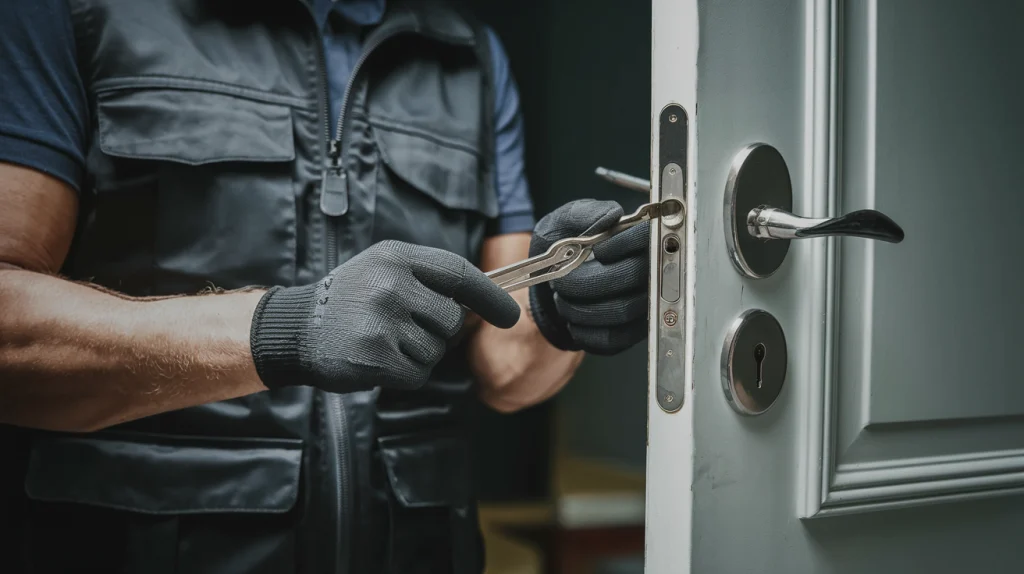
Locks are essential to keeping your home secure. However, many homeowners neglect basic lock maintenance, which can lead to malfunctioning locks and a weakened security system. To ensure your home stays safe, it’s important to regularly maintain your door locks. In this article, we’ll cover three simple yet effective ways to maintain a lock in door houses. Why Proper Lock Maintenance Is Essential Home security is a priority for every homeowner, and your door locks are the first line of defense. Proper lock maintenance ensures that your locks function smoothly and last longer, protecting your home from potential intrusions. According to statistics, 34% of burglars enter through the front door, often taking advantage of faulty or poorly maintained locks. By following these maintenance steps, you can reduce the risk of break-ins and prolong the life of your locks. 1. Regular Cleaning of Your Locks Over time, dust, dirt, and grime can accumulate inside the lock mechanism, causing it to become difficult to operate. Regular cleaning can help prevent the buildup of debris and keep your lock functioning smoothly. Steps to Clean Your Locks: Remove Dust and Debris: Start by using a small brush or air blower to remove dust and particles from the keyhole. Be gentle to avoid damaging any internal components. Wipe the Surface: Use a soft, dry cloth to clean the exterior of the lock. Avoid using water, as moisture can lead to rust or corrosion. Apply Lubrication: Every few months, apply a graphite-based or silicone lubricant to the inside of the keyhole and around the locking mechanism. Avoid using oil-based products, as they can attract more dirt and cause the lock to jam. Recommended Lock Cleaning Products: Graphite Powder: Ideal for lubricating the lock without attracting dust. Silicone-Based Sprays: Provide smooth operation without causing residue buildup. Regularly cleaning and lubricating your locks will help reduce wear and tear, ensuring that your lock functions correctly every time you use it. 2. Check the Alignment of Door and Lock Even the best locks can malfunction if they aren’t aligned correctly with the door and strike plate. Misalignment can lead to difficulties in locking or unlocking, and over time, this strain can damage the lock mechanism. Signs of Misalignment: Difficulty Turning the Key: If you notice resistance while turning the key, this may be due to the door and lock being misaligned. Trouble Closing the Door: If you struggle to close the door or it doesn’t fit snugly within the frame, your lock alignment could be off. How to Fix Door Lock Misalignment: Adjust the Strike Plate: Loosen the screws of the strike plate and move it slightly until it aligns properly with the lock. Check Door Hinges: Sometimes, door sagging can cause misalignment. Tighten the door hinges if necessary. Call a Locksmith: If you cannot resolve the issue on your own, it may be time to contact a professional locksmith. They can help realign the door and lock without damaging the components. By ensuring proper alignment, you prevent unnecessary stress on the lock, prolonging its life and improving its performance. 3. Regularly Inspect and Replace Keys Many people overlook the condition of their keys when maintaining their locks, but worn-out or damaged keys can cause significant harm. A key that is bent, chipped, or excessively worn can weaken the lock mechanism over time, leading to potential failure. Why Worn-Out Keys Damage Locks: Over time, the edges of your key can wear down, causing it to no longer fit the lock as precisely. This can lead to difficulty turning the lock, or in worse cases, damaging the internal components. Best Practices for Key Replacement: Inspect Your Keys Regularly: Look for any signs of wear, including bent edges or cracks. Get a Duplicate Made: If your key is showing signs of wear, get a duplicate made before the original becomes unusable. Use High-Quality Keys: Opt for durable materials when getting keys made, as higher-quality keys are less likely to wear down quickly. Keeping your keys in good condition is just as important as maintaining the lock itself. A properly functioning key will ensure smooth and effortless locking. When to Call a Professional Locksmith While the methods above can help you maintain your locks on a day-to-day basis, there are times when professional help is necessary. If you notice any of the following issues, it’s best to call a locksmith to avoid further damage: Lock is sticking frequently: Even after cleaning and lubricating, if your lock continues to stick, there may be internal damage. Key breaks in the lock: Attempting to remove a broken key without the proper tools can cause more damage. Visible rust or corrosion: Rust can deteriorate the internal workings of the lock, requiring professional care. Routine professional inspections and preventative maintenance can help catch potential issues before they turn into major problems. Conclusion: Simple Steps for Long-Lasting Lock Security Maintaining the locks on your doors doesn’t require much time or effort, but the results are well worth it. By cleaning your locks regularly, checking for alignment issues, and keeping an eye on your keys, you can ensure that your locks will continue to provide security for years to come. For more serious issues, don’t hesitate to contact a professional locksmith to keep your home safe and secure. FAQs How often should I clean my door locks? It’s recommended to clean and lubricate your locks every 6 months to ensure optimal performance. What’s the best lubricant for door locks? Graphite powder and silicone-based lubricants are ideal because they prevent dust buildup and keep the lock smooth. Can misaligned locks cause damage to the door? Yes, over time, misaligned locks can put extra strain on the door and lock, causing potential damage to both. When should I replace my keys? Replace your keys when you notice signs of wear, such as bent edges or difficulty turning in the lock. How do I know when to call a locksmith? If cleaning and realignment don’t fix the problem or if the
The Most Innovative Lock Solutions on the Market Today.
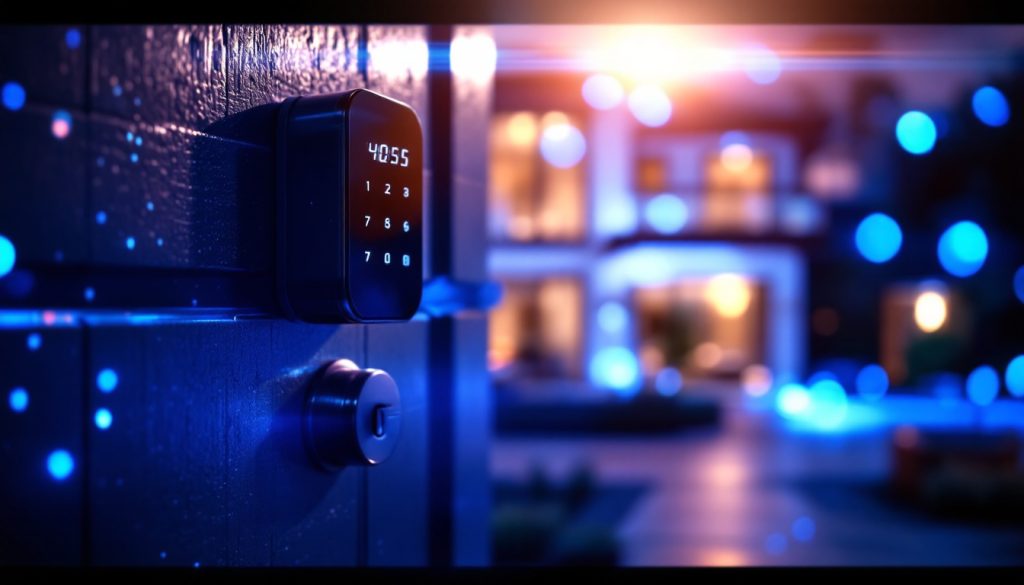
Just as Pandora’s box released both hope and chaos, the advancements in lock technology have transformed security into a dual-edged sword. You might be surprised to discover how innovations like biometric locks and smart systems are reshaping the way we think about protection and convenience. With each new solution promising to enhance safety while simplifying access, it’s crucial to reflect on the implications of these changes. What do these advancements mean for your security choices, and which innovations are truly worth your attention? Biometric Lock Technology Exploring biometric lock technology reveals a world of advanced security that’s both convenient and reliable. These locks use unique physical traits (like your fingerprints, facial recognition, or even your iris) to grant access, making them hard to bypass. You don’t have to fumble with keys or remember combinations; your body is your key. When you choose a biometric lock, you enjoy the peace of mind that comes with knowing only authorized individuals can enter your space. Many models even offer features like tamper alerts and audit trails, so you can keep track of who accessed your home and when. This level of accountability is a game-changer for home security. Installation is often straightforward, and many devices can easily replace traditional locks. Plus, you can find biometric locks in various styles, allowing you to maintain your home’s aesthetic while enhancing security. They’re suitable for both residential and commercial use, providing flexibility based on your needs. In a world where security is paramount, biometric locks stand out as a smart choice, merging cutting-edge technology with everyday convenience. With these locks, you’ll never have to worry about lost keys or forgotten codes again. Smart Locks and Home Automation Smart locks are increasingly becoming a staple in home automation, seamlessly integrating with your smart home systems to enhance security and convenience. These high-tech devices allow you to control access to your home remotely, giving you peace of mind whether you’re at work or on vacation. With a simple tap on your smartphone, you can lock or open your doors, monitor who enters and exits, and receive real-time notifications. One of the best features of smart locks is their ability to work with other smart devices. You can set routines that automatically lock the door when you leave or open it when you arrive home. Imagine walking through the door with your arms full of groceries, and the lock recognizes your presence and opens for you. Additionally, many smart locks offer temporary access codes for guests, making it easier to let friends or service workers in without needing to hand over a physical key. You can control these codes through an app, ensuring that you have full oversight of who’s access to your home at any given time. With smart locks, securing your home has never been easier or more efficient. Keyless Entry Systems In today’s fast-paced world, keyless entry systems are transforming how we secure our homes and access our spaces. These innovative solutions offer convenience and enhanced security, making traditional keys seem outdated. Imagine walking up to your front door and simply using your smartphone, a keypad, or even your fingerprint to gain entry. Keyless entry systems come with a range of features designed to fit your lifestyle: Convenience: No more fumbling for keys; enter with ease using a code or mobile app. Security: Advanced encryption and biometric options provide robust protection against unauthorized access. Access Control: Grant temporary access to guests or service providers without needing to hand over a physical key. Integration: Many systems can integrate with your smart home devices, allowing for seamless control of your entire security network. Remote Access Control Remote access control is revolutionizing how you manage security from afar. With just a few taps on your smartphone, you can lock or open doors, monitor activity, and grant access to visitors, all without being physically present. This technology not only enhances convenience but also provides peace of mind, knowing you can oversee your property anytime, anywhere. Here’s a quick comparison of some popular remote access control features: Feature Description Mobile App Access Control your locks via a smartphone app. Real-Time Alerts Receive notifications for any activity. Temporary Access Grant one-time or time-limited access codes. Activity Logs Track who accessed your property and when. High-Security Deadbolts When it comes to protecting your home, high-security deadbolts are a top choice. With keyless entry technology, smart lock features, and reinforced security designs, these locks provide robust defense against unauthorized access. You’ll appreciate the peace of mind that comes with knowing your entry points are secure. Keyless Entry Technology Many homeowners are turning to keyless entry technology for high-security deadbolts, recognizing the convenience and enhanced safety it offers. With this innovative approach, you can say goodbye to fumbling with keys and worrying about losing them. Instead, you can enjoy a more streamlined way to secure your home. Keyless entry systems provide several benefits that appeal to modern homeowners: Easy Access: You can enter your home with a simple code or touchpad, making it easier for you and your family. Enhanced Security: High-security deadbolts with keyless entry are more resistant to picking and bumping, keeping intruders at bay. Temporary Access: You can grant access to guests or service providers without needing to hand over a key, maintaining control over who enters your home. Audit Trails: Some systems keep logs of entry, allowing you to monitor who enters and exits your home. Smart Lock Features Smart lock features are increasingly becoming essential for homeowners seeking advanced security solutions. These high-security deadbolts offer a blend of convenience and protection that traditional locks simply can’t match. With smart locks, you can control access to your home right from your smartphone. Imagine being able to lock or gain entry to your door remotely, ensuring your home is secure even when you’re away. Many smart locks come equipped with keyless entry options, allowing you to enter your home using a unique code. You can easily share these codes with family,
Your Guide to Fast and Accurate House Key Duplication
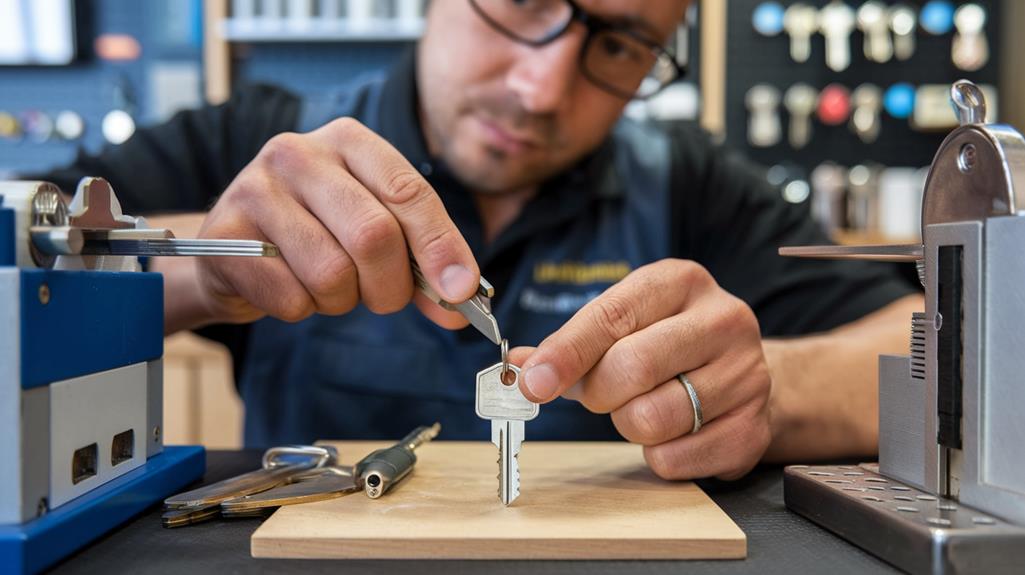
A standard house key is copied while you wait at the 24/7 Locksmith 4U shop on E. Flamingo Rd, cut from your original on a calibrated machine. Bring the original key, not a copy of a copy, and expect the duplicate to work on the first try. Key duplication sounds trivial, and for a plain Kwikset or Schlage key it mostly is. The calls we get are from people whose copy sticks, only works upside down, or will not turn at all. Almost every one of those traces back to the same three mistakes: a worn original, the wrong blank, or a machine that was never calibrated. This guide covers where to get a house key copied in Las Vegas, which keys can and cannot be duplicated, and how to make sure the copy works. Where to Get a House Key Copied in Las Vegas Locksmith shop A locksmith shop cuts on a manual or code machine that is checked against a gauge, uses the correct blank by keyway rather than by look, and tests the copy in a matching cylinder before you leave. Walk-in key cutting at 24/7 Locksmith 4U is available Monday to Friday, 8:30 AM to 5:00 PM, at 3620 E. Flamingo Rd, Unit #2, near Pecos, a short drive from Paradise, UNLV, and the Boulder Highway corridor. Standard blanks are a few dollars each; restricted or high-security keys are quoted per key. Confirm current pricing when you call or stop in. Self-serve kiosks The kiosks in grocery stores and big-box lobbies scan your key with a camera and cut a copy from that image. They work well on a clean, unworn standard key. They fail on worn keys, because the scanner copies the wear, and they cannot handle anything outside the most common keyways. Hardware stores Big-box hardware counters use a duplicating machine that traces your original with a stylus. Results depend on whether the machine has been calibrated recently and whether the employee picks the right blank. A copy that works “if you jiggle it” usually came from a tracing machine that is a few thousandths of an inch off. Mobile, during a locksmith visit When our technician is already at your home in Henderson, Sunrise Manor, or Whitney for a rekey or lock installation, extra keys are cut from the truck during the same visit. That is the cheapest way to end up with four or five matching copies for a household. Which House Keys Can Be Duplicated Key type Can it be copied? Notes Kwikset (KW1, KW10) and Schlage (SC1, SC4) Yes, anywhere Most Las Vegas homes built since the 1990s use one of these Weiser, Baldwin, Yale residential Yes Kiosks may not stock the blank; a locksmith shop will Smart lock override key Yes Usually a Kwikset or Schlage keyway; copy it before you need it “Do Not Duplicate” stamped keys Usually yes The stamp is a request, not a legal restriction, unless the keyway is patented Medeco, Mul-T-Lock, Schlage Primus, other restricted keyways Only with authorization Blanks are controlled; you need the owner card or proof you own the lock USPS mailbox (arrow) keys No Federal property; the post office issues them Community mailbox tenant keys Usually yes Standard keyway on most cluster boxes; some HOAs restrict them Why Duplicate Keys Fail Copying a copy Every duplicate carries a small error. Copy the copy and the errors stack. By the third generation the key may not turn. Keep one original that never leaves the house and cut every spare from that one. A worn original Keys wear on the tips of the cuts. Las Vegas dust acts like fine sandpaper inside a keyway, so an original that has been in daily use for ten years on a door facing the wind is probably worn. A tracing machine copies the wear. A locksmith can instead cut by code, reading the original depths and producing a fresh key to factory spec, which often works better than the worn original. The wrong blank Kwikset and Schlage keys look similar but have different keyways. A close-enough blank will cut fine and then refuse to enter the lock, or enter and bind. A shop matches the blank by keyway profile, not by eye. The lock, not the key If every key, including the original, has started to stick, the problem is the cylinder. Dust, a sagging door, or a strike plate that shifted when the frame expanded in summer heat will make a perfect key feel wrong. That is a lock repair, not a key issue. Our residential locksmith page covers repairs and how they are quoted. How Many Spare Keys You Need One for each adult in the household, one hidden in a wall-mounted lockbox with a code (never under a mat or planter), and one with a trusted neighbor or relative. Renters should check the lease: many Las Vegas apartment communities limit copies and charge for each key not returned at move-out. Property managers who need dozens of keys for turnover usually prefer that we rekey units to a master system and cut keys in bulk; the commercial locksmith team handles that. Car Keys Are a Different Job A house key is metal only. Most car keys made since the late 1990s carry a transponder chip that has to be programmed to the vehicle, and many are laser cut. Kiosks and hardware counters cannot do that. A mobile automotive locksmith cuts and programs a duplicate at your location, quoted upfront for your vehicle, which is far cheaper than an all-keys-lost job later. Tips for a Copy That Works the First Time Bring the original, and tell the cutter if it is old or has ever been copied. Test the new key in the actual lock before you rely on it, from outside, with the door open. If a new key needs jiggling, take it back. A correctly cut key turns smoothly. Ask for a code cut if the original is worn. Have all
How to Choose the Best Locksmith in Las Vegas: A Comprehensive Guide

Protect yourself from scams and unreliable services by learning the essential factors to consider when selecting a locksmith in Las Vegas.
Exploring Keyless Entry Systems: Are They Right for Your Las Vegas Home?

Learn about the security and convenience of keyless entry systems for your Las Vegas home, could they be the perfect fit for your lifestyle?
The Benefits of Mobile Locksmith Services in Las Vegas
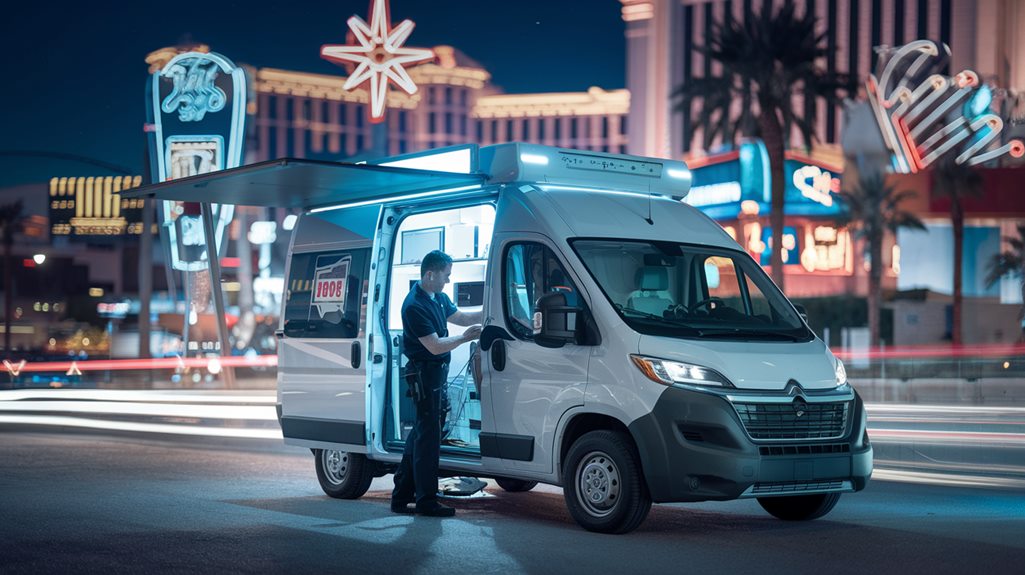
Mobile locksmith services in Las Vegas provide unmatched convenience and security, but what unique advantages do they offer that you might not expect?